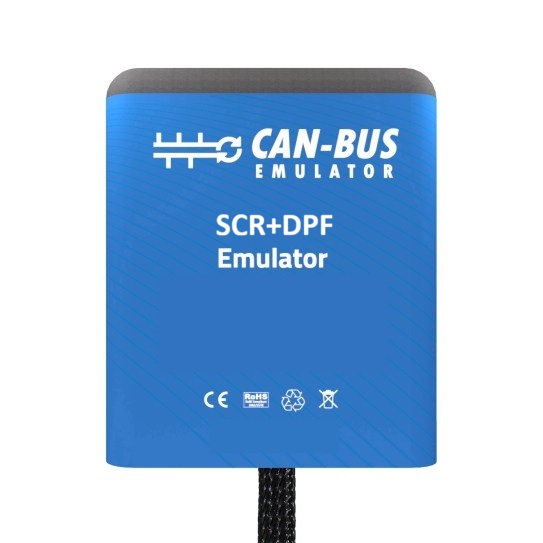
PLEASE ALLOW UP TO 7 WORKING DAYS FOR DELIVERY OF EMULATORS AND RACECHIP
. Before purchasing, please call or email us to check whether the emulator is compatible with your vehicle; we will help you choose the right product for you!!
We will send installation instructions with a full description via email in PDF format, along with a video if available for your specific vehicle. What is the AdBlue emulator for the Ford Transit with SID 212?
The AdBlue emulator for the Ford Transit with SID 212 unit, developed by Sail Technologia as the first of its kind in the world, helps you avoid problems with the DPF and AdBlue, preventing unnecessary expenses and wasted time.
In Ford Transit SID212 vehicles, due to the conditions in which they are operated, the exhaust system frequently fails.
The most common problems associated with the exhaust emission system are:
- NOx sensor failures,
- DPF filter failures,
- AdBlue control unit failures,
- AdBlue pump failures,
- AdBlue injector failures,
- pressure sensor faults
- , temperature sensor failures
- , PM sensor failures
- and SCR filter failures.
Should any of these components fail, the vehicle may refuse to start. The cost of repairing or replacing these components can reach up to 10% of the vehicle’s value.
At Sail Technologia, we have developed the world’s first AdBlue emulator for Ford Transit vehicles equipped with the SID 212 unit. Thanks to this, the entire AdBlue system is emulated, and problems with the DPF and AdBlue are completely eliminated. Once the emulator is installed, the vehicle does not consume AdBlue fluid, and all sensors are deactivated. The emulator eliminates all electronic faults.
For vehicles with the SID 212 unit, which often suffer from a blocked DPF, once the emulator is installed, the damaged or blocked DPF can be removed and replaced with a simple pipe. This is optional. If the filter is not damaged, the vehicle will continue to perform regeneration, regularly cleaning the filter.
The AdBlue/DPF emulator for the Ford Transit SID 212 emulates the following systems:
- AdBlue control unit,
- AdBlue level sensor,
- AdBlue quality sensor,
- AdBlue pump,
- AdBlue injector,
- DPF pressure differential sensor,
- DPF filter,
- NOx sensor
. Models with which it is compatible:
- All vehicles with an SID 212 engine control unit and a DCU ECU. If the vehicle does not have a DCU ECU, the emulator cannot be installed.
Note:
Our emulator is suitable for AdBlue and DPF removal on vehicles that are operating without any existing faults, and it can be installed directly without requiring a DPF reset.
If the vehicle’s DPF filter has been physically removed or broken, the emulator provides a 100% effective solution, ensuring that the DPF soot level will not increase.
Important Points:
If the exhaust temperature sensor, PM sensor, inlet NOx sensor, AdBlue level sensor, or dosing pump module is faulty, these components must be replaced or the DCU unit must be corrected using ECU flashing or appropriate diagnostic software tools.
Since no software intervention is performed on the SID212 engine ECU, the DPF issue is fully resolved by the emulator.
For issues caused by the DCU or its related components, the problem can be resolved by performing software calibration and parameter adjustments in the exhaust control unit.
If you disable the AdBlue system by applying software updates or parameter modifications to the DCU, Online FDRS is no longer required.
Installation Steps:
- All fuses must be checked before installation.
- Switch off the ignition and wait 10 minutes before starting the installation.
- Follow the emulator wiring/connection documentation carefully.
- If the DCU has been flashed with software, CAN lines 21 and 43 on the DCU must not be cut.
Fuse Checks:
Fuses 13, 34, and 39 are part of the AdBlue and DPF system.
These fuses must be checked before installation and replaced if they are faulty.